In early access
Your app, next to its design.
Ravenflows puts every screen of your app beside its Figma design and checks the real app still works there. Product people review it and ask for small UI changes in plain words. Developers keep the code, the merges and the deploys.
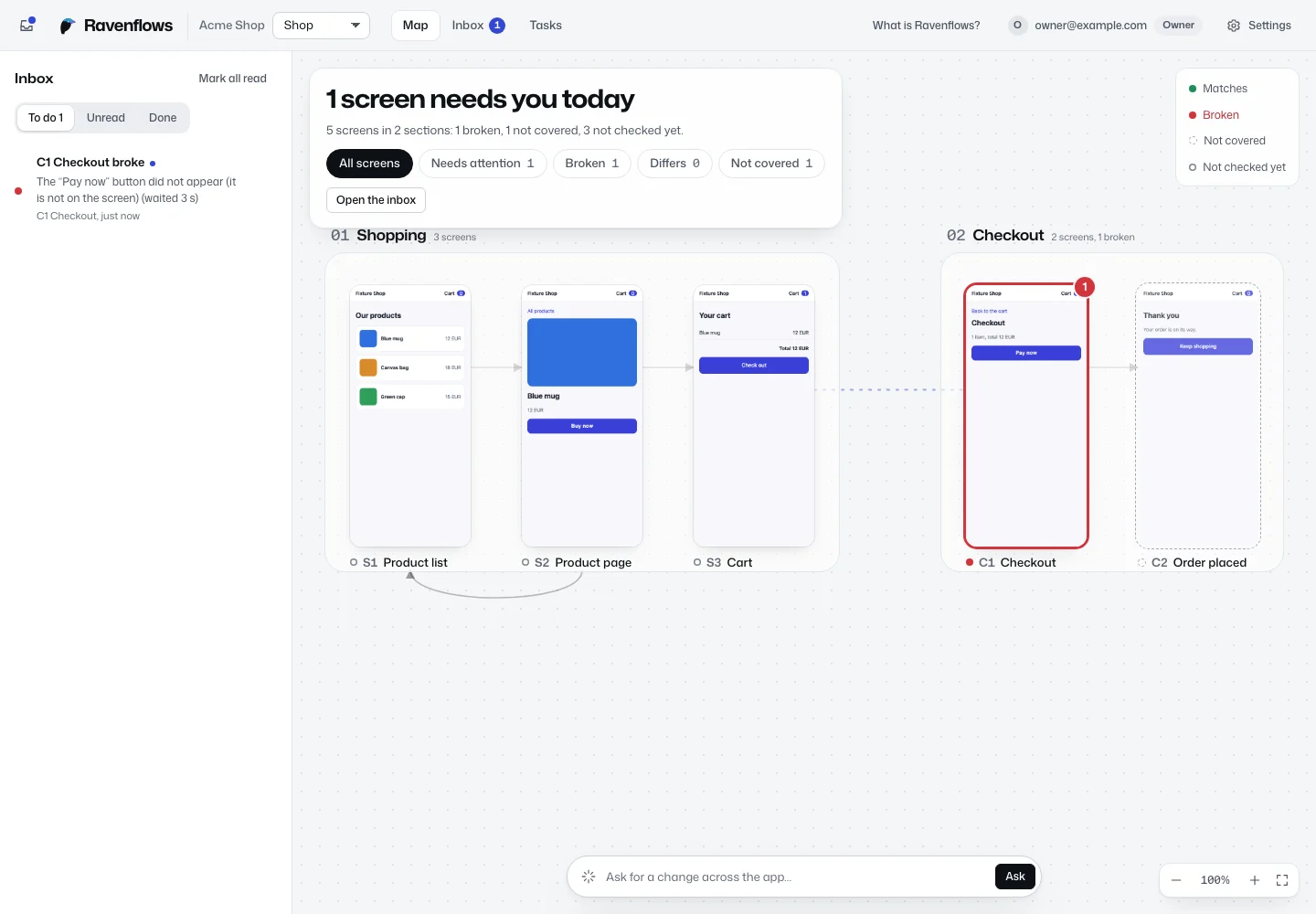
From a broken screen to a reviewed pull request
-
See every screen
The journey map draws your app from its Figma file. Each screen says whether the real app still matches it, so nobody has to ask a developer.
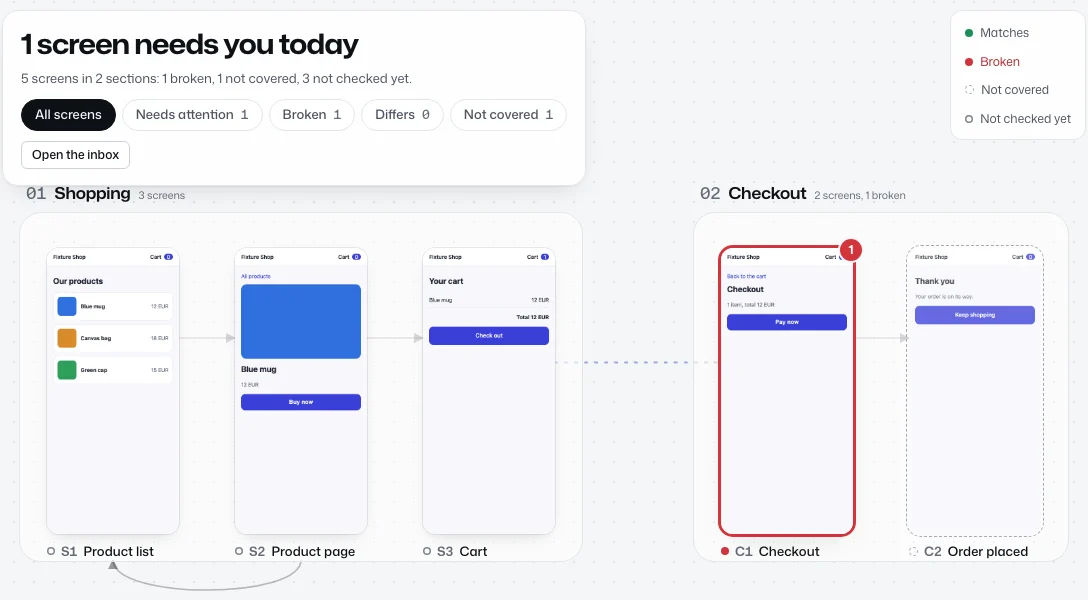
-
Point at what is off
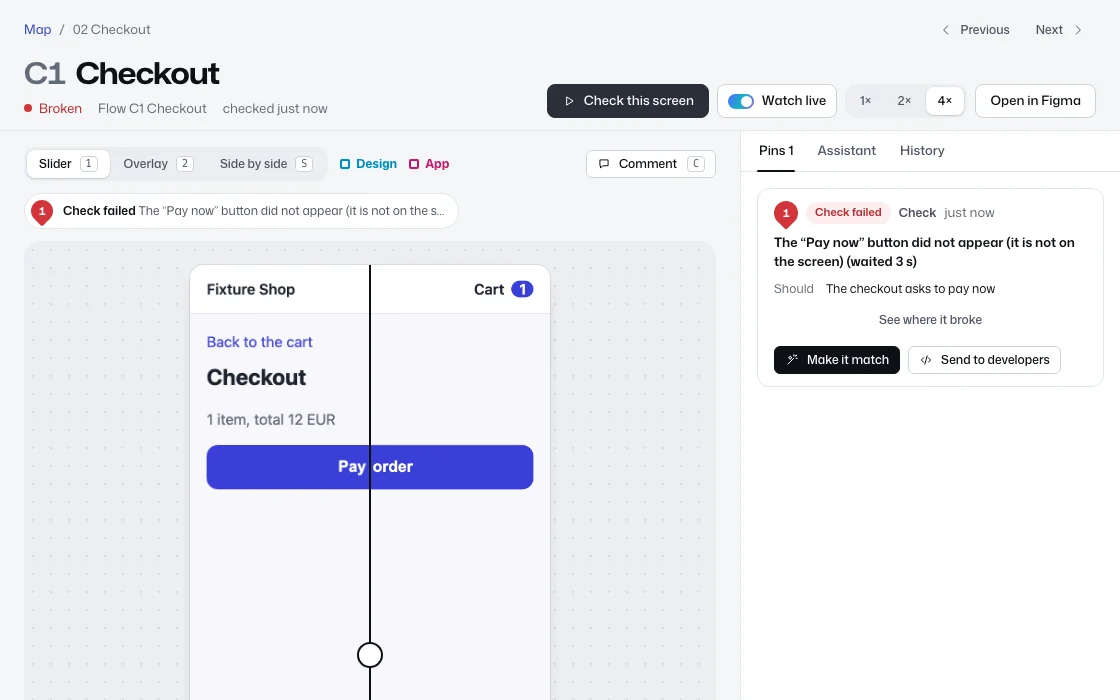
Open a screen to see the design and the real app on one stage: a slider, an overlay, or side by side. A failed check drops a pin where the app broke, and you can add your own.
-
Ask in plain words
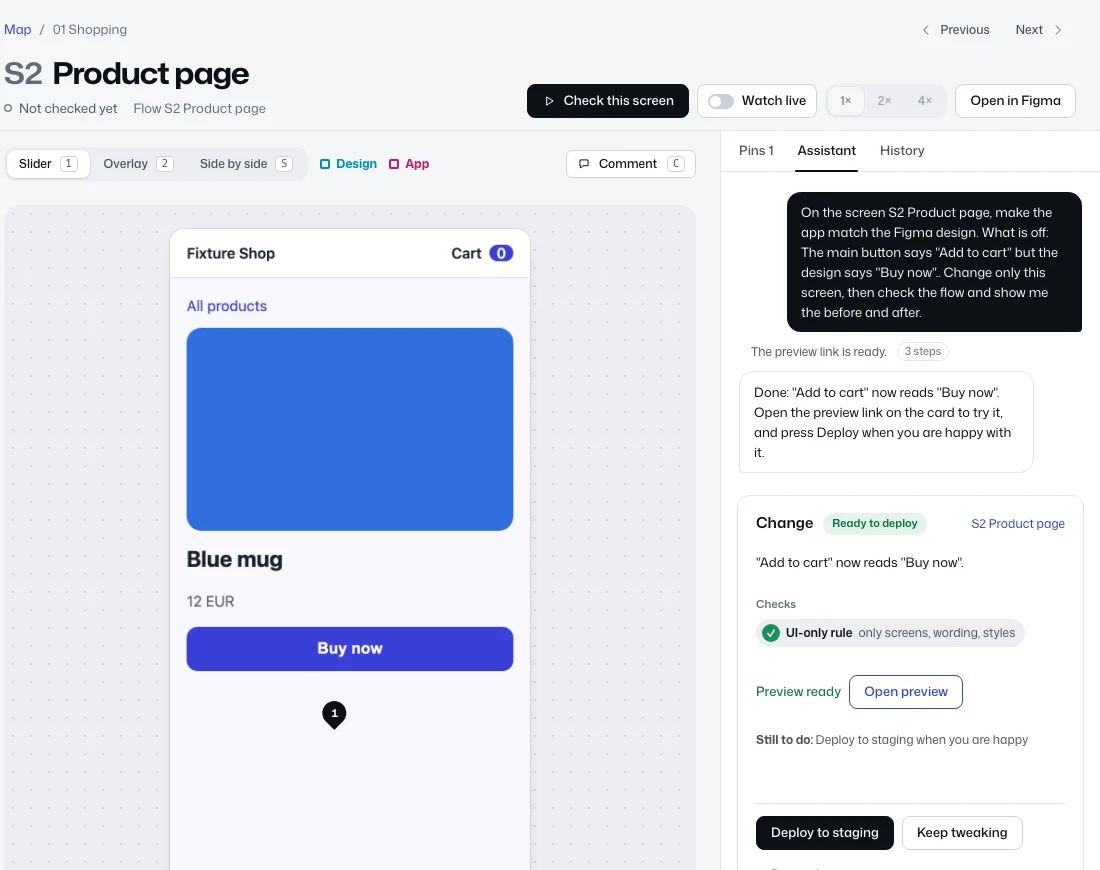
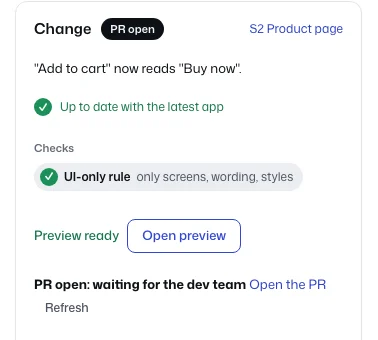
Press Make it match, or describe the change. The assistant changes only the files your team allows, checks the result, and sends a preview link you can open on your phone.
-
Developers approve
When you are happy, the change goes to your developers as a pull request. They review it in GitHub and decide what merges and ships. Ravenflows never merges.


For serious builders
Product and design take care of the small fixes. The heavy lifting stays with the dev team.
Product managers
Know which screens still match the design without asking around. Check a screen and watch the test walk through it, step by step.
Designers
Compare the design and the real app on phone and desktop sizes. Ask for wording, colour and layout fixes and try them on a preview link.
Developers
Keep a small contract file in the repo and review the pull requests. Secrets, CI, migrations and infrastructure files are always off limits to the assistant.
Your cloud, your data
Ravenflows runs in your company's own cloud accounts: test machines, screenshots, conversations and your Claude key stay with you, and we run only sign-in, routing and setup.